
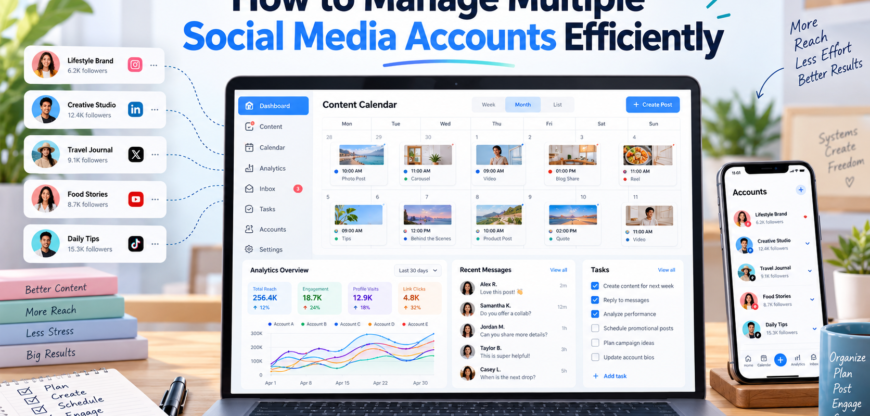
Managing multiple social media accounts can quickly become complicated. Whether you are handling several brand profiles, running social media for clients, or maintaining accounts across different platforms, switching between accounts and keeping up with daily tasks requires a structured workflow.
Without a clear system, it is easy to miss posts, publish content on the wrong account, lose track of messages, or spend too much time repeating the same tasks.
The good news is that managing multiple social media accounts does not have to be overwhelming. With the right organization, scheduling process, account structure, and device setup, you can make social media management considerably more efficient.
1. Create a Clear Account Structure
The first step is to organize your accounts properly.
Start by creating a simple list of every social media account you manage. Include the platform, account name, purpose, target audience, and the type of content normally published.
For example, a social media manager might handle:
- Instagram accounts for several clients
- Facebook business pages
- LinkedIn company profiles
- TikTok accounts
- X accounts
- YouTube channels
Keeping this information in one organized system makes it easier to understand what needs to be managed and when.
You can also divide accounts by client, brand, platform, or campaign. This prevents different accounts from becoming mixed together.
2. Develop a Content Calendar
A content calendar is one of the simplest ways to make multiple-account management easier.
Instead of deciding what to publish every day, plan content ahead of time. A weekly or monthly calendar can include:
- Publishing dates
- Platforms
- Post topics
- Captions
- Visual assets
- Hashtags
- Campaigns
- Important events
- Content status
Planning in advance also makes it easier to adapt the same campaign for different platforms without creating everything from scratch.
For example, one product announcement could become an Instagram post, a LinkedIn update, a short video, and a series of posts for another platform.
3. Batch Similar Tasks Together
Constantly switching between different types of work can reduce productivity.
Instead, group similar tasks together. You could spend one session creating content, another preparing visuals, another scheduling posts, and another checking comments and messages.
This approach reduces the amount of context switching involved in managing multiple accounts.
Batching is particularly useful when you manage accounts for several businesses because you can dedicate specific periods to each client or brand.
4. Use Scheduling to Reduce Daily Work
Publishing every post manually can take considerable time when you manage several accounts.
Scheduling allows you to prepare content in advance and organize publishing around a defined calendar. Instead of opening every account individually whenever something needs to be posted, you can prepare a larger batch of content beforehand.
Scheduling is especially useful for recurring content such as:
- Educational posts
- Product updates
- Promotional announcements
- Industry news
- Tips and tutorials
- Seasonal campaigns
However, scheduled content should still be reviewed regularly. Trends, breaking news, platform changes, and unexpected events can make previously planned content inappropriate.
5. Keep Account Information Organized
Managing multiple accounts also means keeping track of account-specific information.
Create a secure system for storing details such as account names, recovery information, publishing guidelines, brand assets, and content requirements.
Avoid keeping sensitive login information in ordinary spreadsheets or unsecured documents. Use appropriate password-management and access-control practices instead.
For teams, assigning the right permissions can also reduce unnecessary sharing of passwords while making responsibilities clearer.
6. Separate Different Work Environments When Necessary
Managing several accounts from the same computer can become difficult when you constantly need to switch between accounts, applications, and browser sessions.
For certain workflows, using separate browser profiles or dedicated environments can make account organization easier. This creates clearer boundaries between different projects and reduces the chance of accidentally working on the wrong account.
For mobile-first platforms, cloud phones can provide another way to organize account workflows. A cloud phone essentially provides access to an Android environment through the internet, allowing users to work with mobile applications without relying entirely on a physical phone for every account.
This can be useful for social media teams that need to manage mobile applications across different projects while keeping their workflows organized.
7. Create Platform-Specific Workflows
Not every social network should be managed in exactly the same way.
Instagram may require more visual content, while LinkedIn may focus heavily on professional updates. TikTok and other video platforms can require a different production and publishing workflow.
Instead of creating one generic process for every platform, establish simple platform-specific checklists.
For example:
- Prepare visual or video
- Write caption
- Check hashtags
- Review profile
- Schedule or publish
- Monitor comments
- Review post copy
- Add relevant media
- Check links
- Publish
- Monitor engagement
These small workflows reduce mistakes and make delegation easier.
8. Track Messages and Engagement
Publishing content is only one part of social media management tools.
Comments, direct messages, mentions, and customer questions also need attention. When multiple accounts are involved, these interactions can easily get missed.
Set specific times during the day to review engagement instead of constantly checking every account.
For example, you might check messages in the morning and again later in the afternoon. The exact schedule depends on the audience and business, but having a defined routine helps prevent social media from becoming a constant distraction.
9. Monitor Performance Across Accounts
Managing multiple accounts efficiently also requires understanding what is working.
Track important metrics such as:
- Reach
- Impressions
- Engagement
- Follower growth
- Click-through rate
- Video views
- Leads or conversions
You do not necessarily need to monitor every metric every day. Focus on the measurements that match the purpose of each account.
For example, a brand awareness campaign may prioritize reach and impressions, while a campaign designed to generate website traffic may focus more heavily on clicks and conversions.
Reviewing performance regularly can also help determine which types of content deserve more attention.
10. Build a Repeatable Workflow
The biggest improvement often comes from turning social media management into a repeatable process.
A simple workflow might look like this:
Plan → Create → Review → Schedule → Publish → Engage → Analyze
Once this process becomes routine, managing additional accounts becomes easier because you are not starting from scratch every time.
You can also create templates for captions, content briefs, approval processes, reporting, and publishing checklists.
11. Choose a Setup That Matches Your Workload
The best setup depends on how many accounts you manage and how frequently you work with them.
Someone managing two personal profiles may only need a content calendar and scheduling system. A social media manager working with dozens of accounts may need a more structured combination of scheduling, collaboration, analytics, separate browser environments, and cloud-based mobile devices.
The objective is not to add as many tools as possible. It is to create a workflow that reduces repetitive work and makes account management easier to control.
12. Review Your Workflow Regularly
Social media platforms and audience behavior change frequently, so your workflow should evolve as well.
Every few weeks, review how much time you spend on content creation, publishing, engagement, reporting, and account switching.
Look for repetitive tasks that can be streamlined and processes that regularly cause mistakes.
Even small improvements can have a significant impact when repeated across multiple accounts.
Conclusion
Managing multiple social media accounts efficiently is primarily a matter of organization and consistency. A well-planned content calendar, batch production, scheduling, secure account management, platform-specific workflows, and regular performance reviews can significantly reduce the amount of manual work involved.
For teams managing mobile-focused social platforms, cloud-based Android environments can also provide another way to structure mobile account workflows without relying on a separate physical device for every task.
Rather than trying to manage everything at once, build a repeatable system and improve it over time. The goal is to make managing multiple accounts predictable, organized, and scalable.