
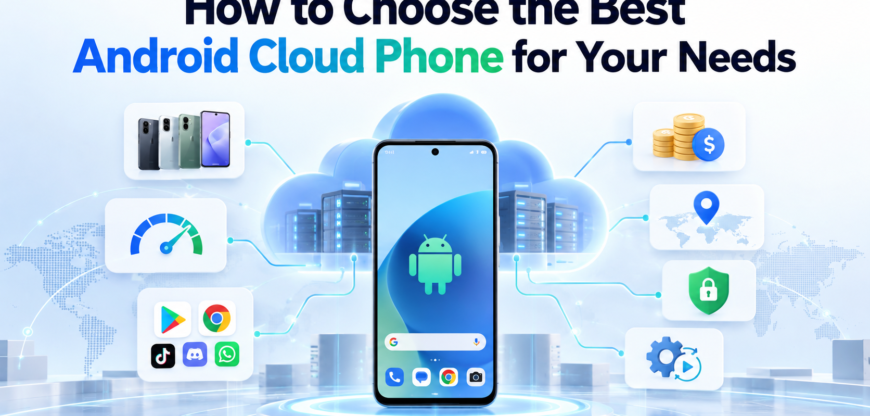
What an Android Cloud Phone is?
An Android cloud phone is an Android device that runs in a data center and streams its screen to you through a browser or desktop app. You tap, type and install apps as you would on a handset, but the device, its storage and its network connection live on a remote server.
Picking one is harder than comparing spec sheets. Two services can both advertise “Android 13” and “any app” and still behave very differently once you log into an account, attach a proxy or give a teammate access. This guide walks through those differences so you can match a service to the work you plan to do on it.
Start With What the Phone Needs to do
The job decides which features matter. Before you open a pricing page, write down the apps you will run, how many devices you need running at the same time, and who else will use them.
| Use case | What matters most | What matters less |
|---|---|---|
| App testing and QA | A wide range of Android versions and device models, ADB access, screen recording | Proxy quality, keeping sessions logged in for months |
| Managing several social media accounts | A separate device identity per account, stable long-term sessions, a proxy per device | Raw graphics performance |
| Mobile games or always-on apps | Uptime, frame rate, apps that keep running in the background | Choice of device models |
| Agency or team work | User roles and permissions, a shared device pool, activity logs | Advanced scripting |
| Automating repetitive tasks | An API, ADB, compatibility with frameworks such as Appium | Streaming quality |
If your work falls into two rows, decide which one wins when they conflict. A service designed for testing often treats each device as disposable, which is the opposite of what you want for an account that has to stay logged in for a year.
Real Hardware or Virtualized Android
How a provider builds its phones affects how apps treat them. Most services use one of the setups below, and many mix more than one.
| Setup | How it works | Good fit | Trade-offs |
|---|---|---|---|
| Physical phones or phone boards in racks | Real Android handsets or their mainboards, connected to servers and streamed to you | Apps that check hardware closely, long-lived accounts | Fewer models to choose from, usually a higher price per device |
| Virtualized Android on ARM servers | Several Android instances share one ARM server, each in its own container or virtual machine | Scaling to many devices at a lower cost | Device identity depends on how carefully the provider configures each instance |
| x86 emulators hosted in the cloud | A standard Android emulator running on PC-style server hardware | Developer testing and quick checks | Many apps recognize emulator environments and limit features or refuse to run |
Apps read a lot about the device they run on: the processor, the graphics chip, the sensors and the build information. When those details do not look like a normal phone, some apps restrict what you can do. Ask each provider which setup sits behind its devices. A vague answer tells you something too.
Device Identity and Android Version
Check which Android versions are on offer first. Apps raise their minimum Android version over time, so a pool stuck on older releases will slowly lose compatibility. For testing you want a spread of versions; for day-to-day account work, a recent version is usually enough.
The device details should also agree with each other. If a phone reports itself as a specific Samsung model, its screen resolution, graphics chip and build information should match that model. Mismatches are a common reason apps flag a device as unusual.
A few more points worth confirming before you commit:
- Persistent identifiers. Each phone should keep the same device identifiers across sessions, and you should be able to reset to a fresh identity when you choose to, not when the provider does.
- Google Play and Play Integrity. Some cloud phones ship without Google Play services or fail Google’s Play Integrity checks. Apps that rely on those checks, including many payment and streaming apps, may not work.
- SIM, SMS and calls. Most cloud phones have no SIM card, so they cannot receive text messages or calls on their own. If an app needs phone verification, plan a separate way to handle it.
Network Setup and Proxy Support
By default, every phone on a server may share the same data center IP address. If you run more than one account, or need to appear in a specific country, you will want a separate proxy for each phone.
Look at four things here:
- Proxy assignment. Can you set a different proxy per device, and does it support the protocols your provider uses (HTTP and SOCKS5 are the most common)?
- Proxy type. Residential and mobile IPs look like ordinary home or cellular users. Data center IPs are cheaper and faster but are more often treated with suspicion by social and e-commerce apps. Some services include proxies; others expect you to bring your own.
- Location consistency. The phone’s time zone, language and GPS location should match the country of its IP. Some services set these automatically from the proxy; others leave it to you.
- Leaks. Open an IP-check website in the phone’s browser and confirm it shows the proxy IP, not the server’s. Repeat the check inside one or two apps if you can.
If proxies are billed separately, find out whether you pay per GB, per IP or per month. Traffic-based pricing can climb quickly with video-heavy apps.
Profile Isolation and Data Persistence
Every cloud phone should behave like a separate handset. Storage, logged-in accounts, cookies and device identifiers must not carry over from one phone to another. Ask how the provider separates devices that share the same server.
Persistence matters just as much for anyone running accounts long term. Some services wipe a phone when you stop it, keep it only while your plan is active, or charge extra for storage. Before you sign up, find out:
- what happens to apps and logins when a phone is switched off
- whether you can take snapshots, back up a phone or clone a working setup to new devices
- how long data is kept after you cancel, and whether you can export it
A phone that loses its sessions every few days turns into a daily re-login task, and frequent fresh logins from new devices can trigger security checks on many platforms.
Workflow Features: automation, API and team access
With one or two phones, a good streaming viewer is all you need. Past five or ten, the tools around the phones start to matter more than the phones themselves.
Automation. Check for ADB access, a documented API and compatibility with frameworks such as Appium if you plan to script tasks. Some services offer a built-in macro recorder or scheduler instead, which suits people who do not write code. Read the API documentation during your trial; thin or outdated docs usually mean a thin API.
Bulk actions. Installing an APK, uploading files or rebooting across dozens of phones one at a time wastes hours. Look for group actions and folder or tag organization.
Team access. Agencies and in-house teams should check for user roles, per-device permissions and an activity log. The key question is whether you can give a colleague access to a phone without handing over the account passwords stored on it.
Performance, Server Regions and Latency
You control a cloud phone over the internet, so the distance between you and the data center shows up as input lag. A provider with servers on your continent will usually feel noticeably smoother than one that streams from the other side of the world. Ask where the servers are, and whether you can pick a region per device.
Specs still count. RAM and storage limit how many apps you can keep installed and running, and short-form video apps tend to need more of both than messaging apps. Check the limits on how many phones can run at once on your plan, since that number can be lower than the number of phones you own.
For anything business critical, look for a published uptime commitment and a status page with a history of incidents. A trial week is the best test: use the phones at the times of day you normally work and note any lag, disconnects or slow app launches.
Pricing Models and Hidden Costs
Cloud phone pricing is hard to compare at a glance because providers charge for different things. Most plans follow one of these models:
| Pricing model | Suits | Watch for |
|---|---|---|
| Fixed monthly fee per device | Phones that run most of the day, every day | Paying full price for phones that sit idle |
| Pay per minute or hour of use | Short sessions spread across many phones | Costs that rise fast if you forget to switch phones off |
| Subscription with included usage | Steady, predictable workloads | What overage costs once the included time runs out, and whether unused time carries over |
The headline price rarely covers everything. Add up proxies or bandwidth, extra storage, additional team seats, premium device models or newer Android versions, and any minimum commitment period.
Then price your real usage. Multiply the number of phones by the hours each runs per day and the days per month, and apply that to each provider’s rates. A plan that looks cheap per device can end up costing more than a pricier one once you account for how you actually work.
Security, Privacy and Platform Rules
A cloud phone holds your logins, messages and files on someone else’s server, so the provider’s practices become part of your own security. Look for a clear privacy policy, information on where data is stored and who on the provider’s side can access a device. If you work with personal data of people in the EU, check whether the provider states GDPR compliance.
The company behind the service matters too. A named legal entity, a track record of several years and reachable support are reasonable minimums for anything you depend on daily. Turn on two-factor authentication for the dashboard itself, since it is the key to every phone in your account.
Finally, a cloud phone does not change the rules of the apps you run on it. Social networks and marketplaces each set their own terms on how many accounts one person or business may operate. Read those terms for every platform you plan to use.
Checklist for Comparing Providers
Use these questions on every service on your shortlist:
- Does the phone setup (physical, virtualized on ARM or emulated) suit the apps I run?
- Are recent Android versions available, and do the device details match the stated model?
- Do the apps I need install and run, including any that depend on Google Play services?
- Can I assign a separate proxy to each phone, and do time zone and location follow it?
- Do phones keep apps and logins between sessions, and can I back them up?
- Is there an API, ADB access or another automation option that fits my skills?
- Can I give teammates access without sharing account passwords?
- Are there servers near me, and is input lag acceptable in daily use?
- What is the full monthly cost for my real usage, including proxies and add-ons?
- Is the provider clear about data storage, ownership and support?
How to Run a Fair Trial?
- Narrow the list to two or three services before you start testing.
- Run the same apps on each one, with the same type of proxy.
- Keep at least one test account logged in for the full trial period to see how sessions hold up.
- Try one task you will repeat often, such as installing an app on several phones, and time it.
- Contact support with a real question and note how fast and how useful the reply is.
- Compare your notes against the checklist, not against the feature lists on each website.
Top 5 Android Cloud Phone Tools to Compare
These five services come up most often in 2026 comparisons, and each leans toward a different use case. They are listed alphabetically, not ranked. Prices change often, so confirm current rates on each provider’s pricing page.
| Tool | Main focus | Device setup | Pricing model | Proxies | Best fit |
|---|---|---|---|---|---|
| DuoPlus | Mobile multi-account work | Cloud phones on ARM hardware | Monthly device rental plus usage fee | Custom proxy per phone | Teams that need SMS verification inside the phone |
| GeeLark | Social media and automation | Android phones hosted in the cloud, plus browser profiles | Pay per minute with a daily cap, or monthly rental | Bring your own | Automation-heavy workflows with existing proxies |
| Multilogin | Social media marketing on mobile and web | Real Android cloud phones, plus browser profiles for web platforms | Subscription with included mobile minutes, free plan available | Built-in residential proxies, or your own | Marketers and agencies running social profiles on both mobile and web |
| Redfinger | Mobile gaming | Virtual Android phones streamed from the cloud | Tiered subscription plans, free trial | Not a core feature | Keeping games and apps running 24/7 |
| VMOS Cloud | Power users and automation | Virtualized Android, with a higher tier on real machines | Rental by device model and duration | Separate paid proxy add-on | Users who want root access and Android version switching |
DuoPlus
DuoPlus runs its cloud phones on ARM hardware and charges a monthly rental per device plus a usage fee. Its standout feature is built-in cloud phone numbers, including non-VOIP options, so verification texts can arrive inside the phone. It also supports a proxy per phone, ADB, automation scripts and sharing phones with teammates.
GeeLark
GeeLark hosts Android phones in the cloud and supports versions up to Android 16. Billing works either per minute, with a daily spending cap per device, or as a monthly rental, and a free plan includes two profiles. Automation is a strong point, with RPA templates, ADB and an API on paid plans. Proxies are bring-your-own, so budget for them separately.
Multilogin
Multilogin runs real Android cloud phones for mobile apps such as TikTok and Instagram, alongside isolated browser profiles for web platforms such as Reddit and YouTube. Devices cover Android 10 to 16 across about 30 device types, and residential proxies are built in, with the option to import your own. A free plan with no time limit lets you test before paying, and automation is available through ADB and an API. As with most cloud phones, the devices cannot receive SMS or calls.
Redfinger
Redfinger is built mainly for mobile gaming, letting games and apps run around the clock without draining your own phone. Apps install from Google Play, and you can connect from Windows, Android, iOS or a browser. Servers sit in the US, Taiwan and Singapore, so latency depends on how close you are to them. It is less suited to multi-account marketing work.
VMOS Cloud
VMOS Cloud offers virtualized Android phones with root access by default and support up to Android 15, with a higher-priced tier on real machines. It adds AI-driven automation features, some of which are a paid extra. Proxies come through a partner service at extra cost, and pricing varies by device model and rental length, which makes totals harder to compare.
Frequently Asked Questions
Is a cloud phone the same as an Android emulator?
Not necessarily. An emulator imitates phone hardware on a regular computer, while many cloud phones run on ARM servers or real phone hardware. Some cloud services do host emulators, which is why it is worth asking what runs behind the screen.
Can a cloud phone receive SMS or calls?
Usually not. Most cloud phones have no SIM card, so verification codes sent by text need another route, such as a separate number or service.
Do I need a proxy for every cloud phone?
Only if the phones should appear as separate users or in different locations. For a single phone used for testing, the provider’s default connection is often fine.
How many cloud phones do I need?
Start with one phone per account or test device you need running at the same time. Add a small buffer for testing new setups, and scale once you know your real usage.
Can I install any app?
Most apps from Google Play or an APK file will install. Apps that rely on strict device checks, Google Play Integrity or a SIM card may fail, so test the exact apps you need during the trial.